Skip to content

FOR GYMS, STUDIOS AND COACHES

You coach.
We hold the workout together.

Plan the week, build the group workout and lead the training on a big screen. The company keeps the library. The coach runs the workout.

How it works

Own sign-in · your company logo · shared workout library

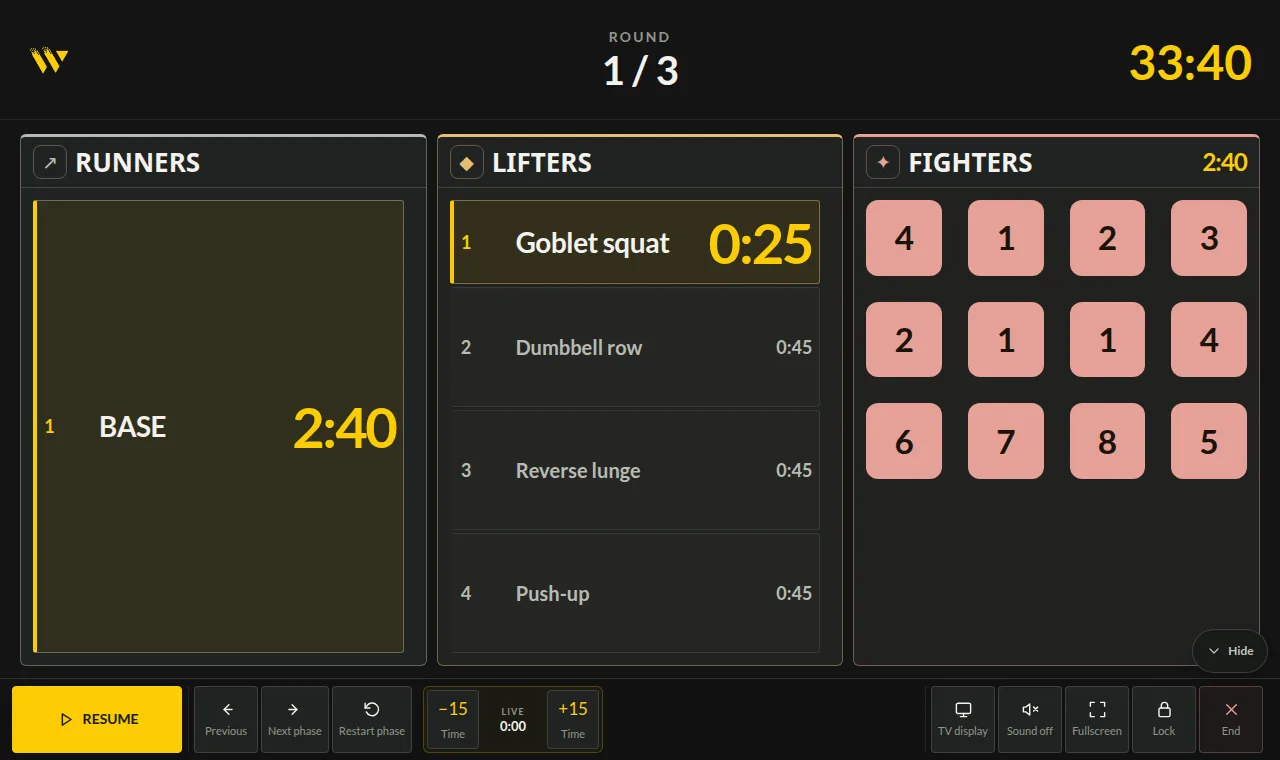
The WEFIT Coach big-screen player with exercise, interval time and the next station.
Focus on the group. The player keeps the time.Example with demo data · Click for a larger image

TWO ENTRANCES

For the company and for the coach.

Same app. The company owns the workspace. The coach leads the workout.

The company

One workspace for the whole team.

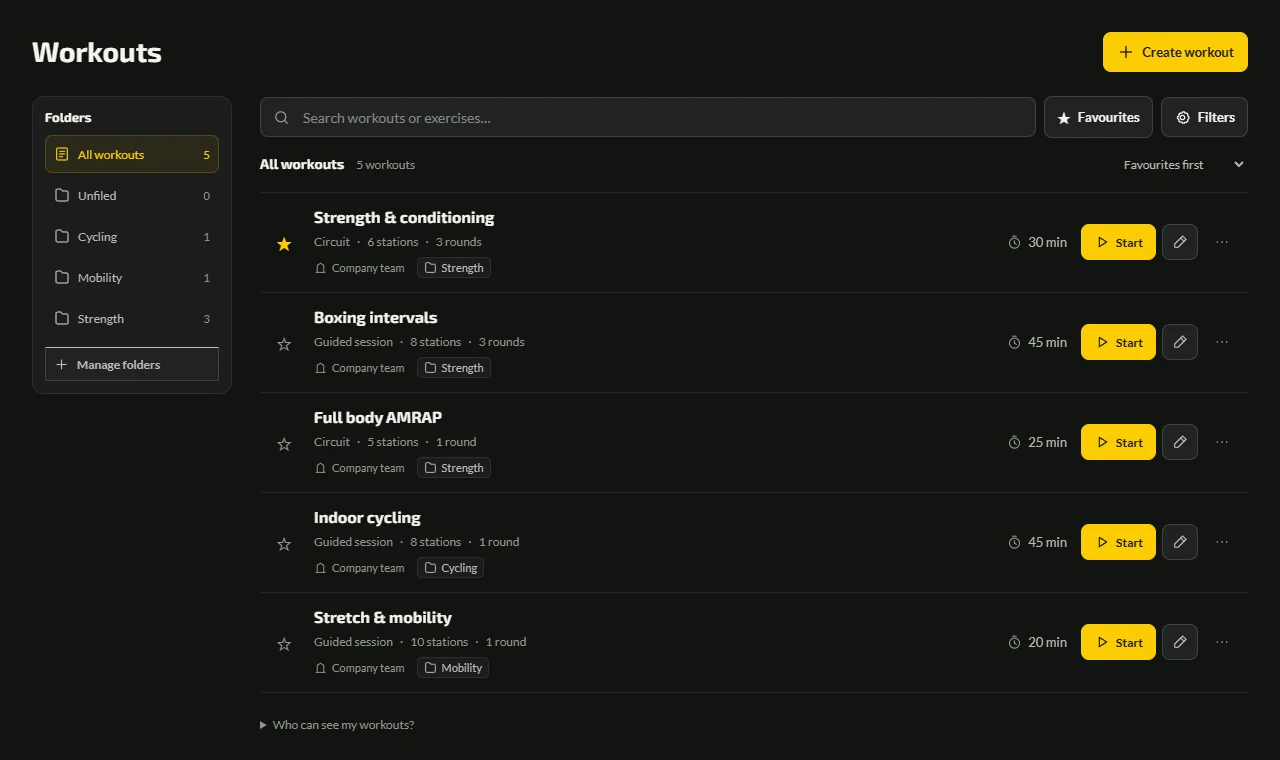
Logo, workouts and coach places stay within your company. Other businesses never see them.

  • Your logo in the overview and the player
  • A shared library, or a workout just for you
  • More coach places as the team grows
  • A weekly plan so the next workout is easy to find
The coach

Build the workout. Lead the group.

Time, exercise and the next step are on the screen. No searching through notes during the workout.

  • Circuit, reps, AMRAP and Zone Rotation
  • Connect your laptop to a big screen over HDMI
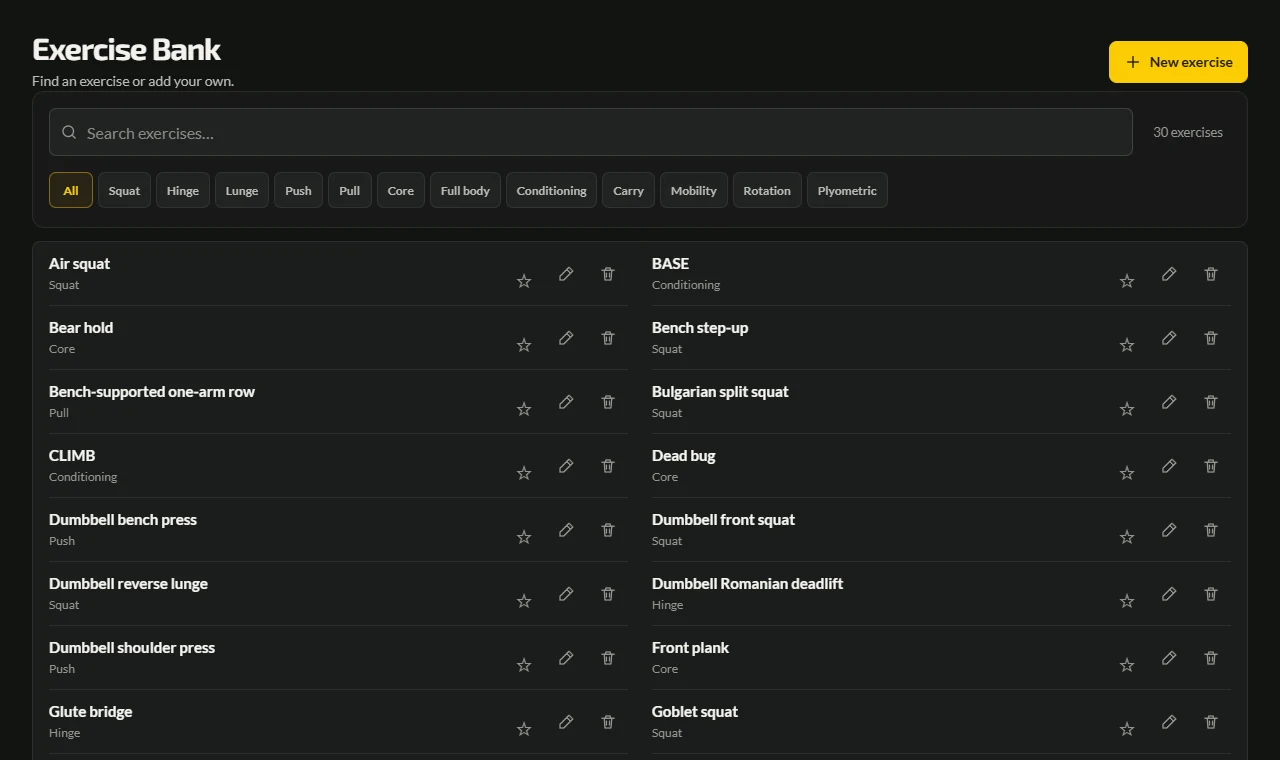
  • Exercise bank with search and your own exercises
  • The coaching log when you want to build further

PREPARE THE WORKOUT

Your plan.
All the way to the start.

Choose Circuit or Zone Rotation and build the workout in the order the group trains. Adjust work time, changes and rest in the right block. You see the workout length while you build.

  • Warm-up, main part, optional core and cool-down
  • Time, reps and AMRAP for different set-ups
  • Whiteboard overview before the start
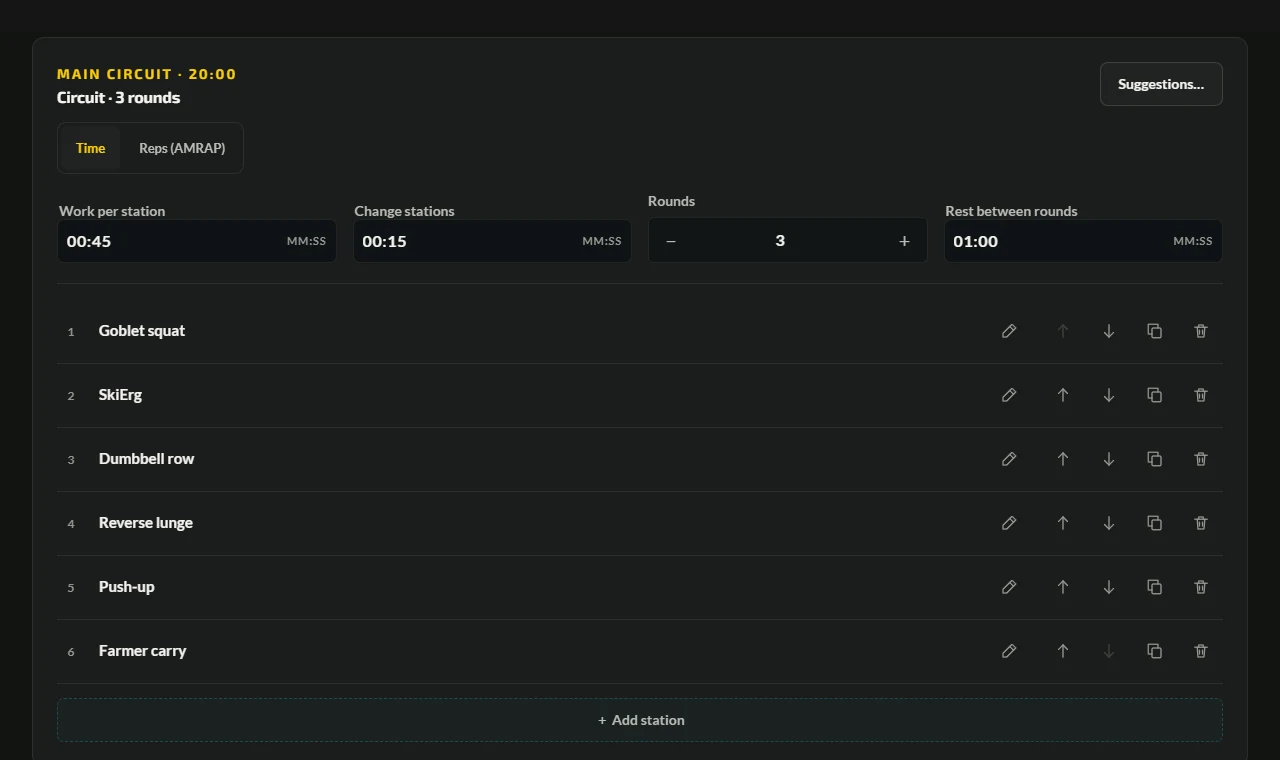
The Circuit builder with six exercises, work time, station changes and rounds.
The circuit in one place. Exercises and times in the right block.Example with demo data · Click for a larger image

Reps and AMRAP.

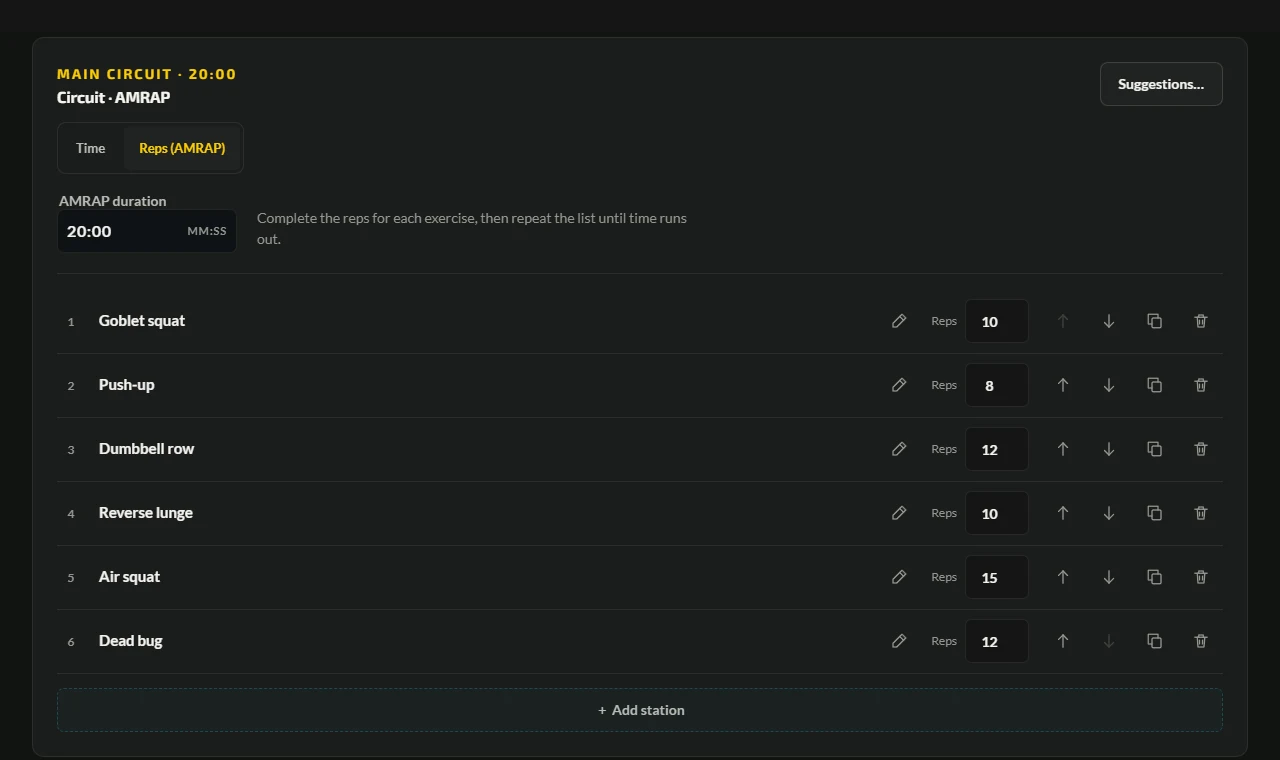
Choose a number of repetitions for each exercise and let the group repeat the circuit at their own pace. You decide how long the block lasts.

AMRAP in the Circuit builder with repetitions per exercise and the total time of the block.
A different set-up. The same simple builder.Example with demo data · Click for a larger image

Two or three zones.

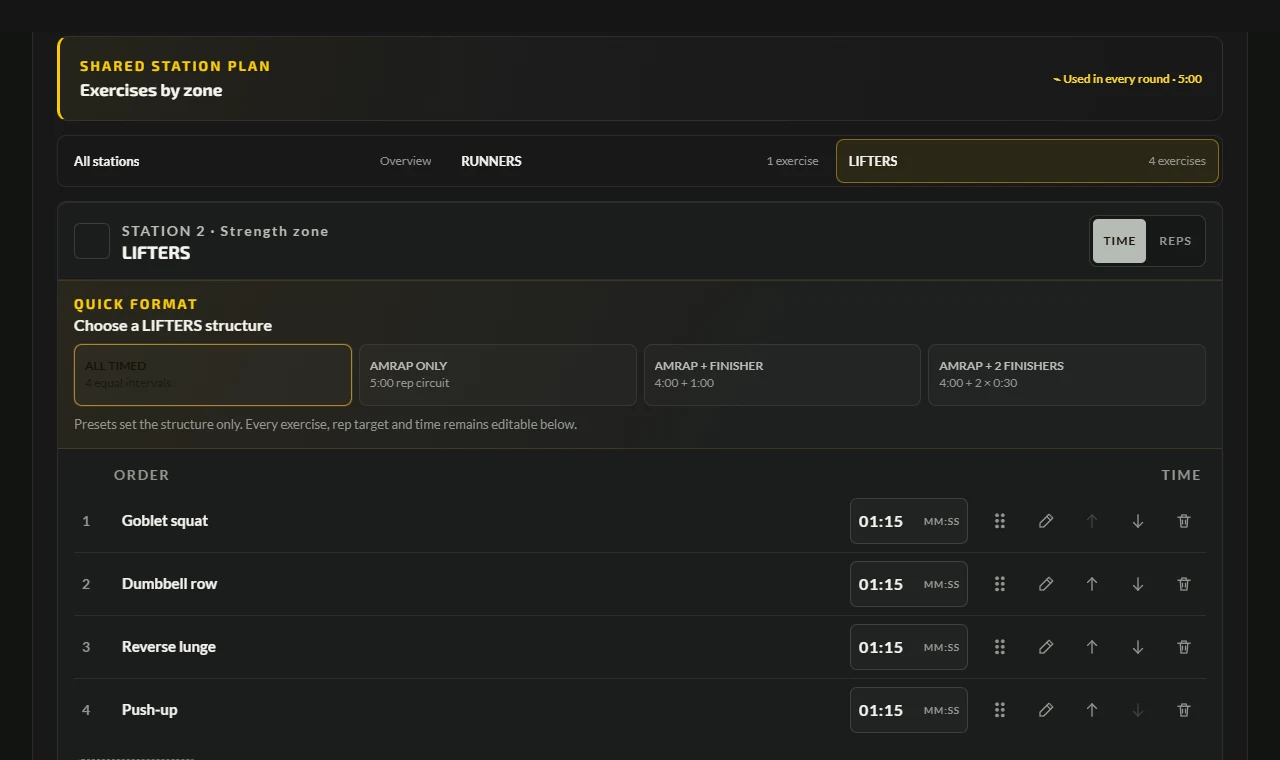
Let groups switch between training zones. Gather rounds, work time, rest and exercises in the Zone Rotation block.

The Zone Rotation builder's zone picker and strength exercises with individual times.
Clear what the group does in each zone.Example with demo data · Click for a larger image

GET STARTED

From account to first workout.

  1. 01

    Create your account.

    Register with email and password and confirm your email address.

  2. 02

    Start the trial.

    Choose the company's coach places and confirm with a card. Try it for 14 days before the first monthly payment.

  3. 03

    Make the app yours.

    Add your logo and training focus. A short tour helps you find your way. Choose a template or build the first workout.

PRICE & TRIAL

Give the next workout
a clear plan.

See how WEFIT Coach fits your business, your team and the way you train.

WEFIT COACH14-DAY TRIAL
199 kr/ month per companyVAT exempt. No VAT is charged.
Included in the company
1 coach
Per extra coach
49 kr / month

See the price and terms before you confirm your trial.

How the trial works

A payment card is required. After 14 days the trial automatically becomes a paid monthly subscription. Cancel before the trial ends if you do not want to continue.

After the trial, the monthly price above applies plus the fee for any extra coaches. Prices are final prices without VAT charged.

GOOD TO KNOW

Before the first workout.

Can I use my laptop and a screen?

Yes. Build and control the workout on your laptop. Connect it to a bigger screen over HDMI and use the player when you lead the group.

How do my coaches get access?

The company owner or an administrator invites coaches. The company's permissions decide who can coach and who can administer the team.

Can I add more coaches later?

Yes. In the company settings you choose more coach places and review the new monthly price in Stripe before you confirm. Once the places exist you can invite the coaches through team management.

Do other companies see our workouts?

Companies have separate workspaces. A workout can be visible only to you or shared with the coaches in your company. Company sharing does not make the workout public.

Are booking and QR check-in included?

Not in the current app. Booking and QR check-in are possible future steps. Today WEFIT Coach focuses on planning, sharing and running group workouts.

THE NEXT WORKOUT

Start with your own workspace.

Create the account, add the company and try the set-up for 14 days before the first monthly payment.